AI Logo Generator
Logogram turns a written brand brief into several genuinely different vector logo directions — monograms, brandmarks, wordmarks — then lets you refine the one you like in a browser-based SVG editor and export it as SVG or PNG.
What makes this different from a generic logo maker
Most AI logo tools take a business name, apply a template, and hand back a raster image. Three things here work differently, and they are the reasons a designer would pick this over a template gallery.
- You get directions, not one answer. A single brief produces up to eight separate approaches — one led by a metaphor, one by the letterforms, one by negative space — so you are choosing between ideas rather than nudging one result until it is passable.
- Vector output, not an upscaled bitmap. Every logo is vectorised, so it stays sharp on a business card and on a building. You can open the paths, not just the pixels.
- It is built around letter-based marks. Monograms and lettermarks are a narrower problem than "any logo", and the prompting is tuned for them — spacing, counters, how initials interlock, whether the mark still reads at 16 px.
How it works
- 1
Describe the brand
Brand name, what it does, who it's for, the feeling you want, colours to use or avoid, and any clichés to stay away from. Plain language — not prompt syntax.
- 2
Choose how many directions
One to eight. Each direction is a different design approach to the same brief, with a short written rationale explaining the thinking.
- 3
Refine the one that works
Ask for a precise revision — heavier strokes, a tighter lockup, a different counter — and get a new version that keeps the parts you liked.
- 4
Edit and export
Adjust colours, layers and paths in the built-in SVG editor, then export SVG or PNG with full commercial usage rights.
The logo types you can generate
Every brief can be pushed toward a specific type of mark. These are real renders from the generator, not stock illustrations.
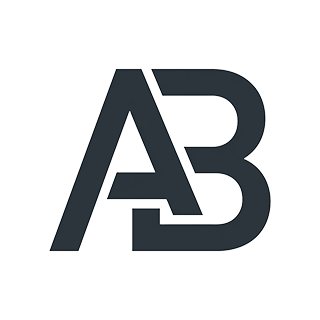
Lettermark
Initials drawn as one mark — the classic monogram.
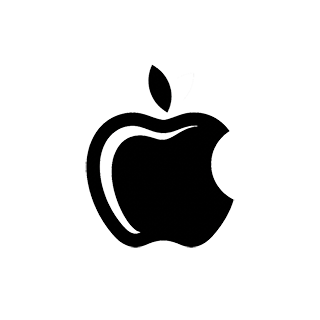
Brandmark
A single symbol that stands in for the whole name.
Wordmark
The brand name itself, drawn as the logo.
Combination mark
Symbol and wordmark locked together.
Abstract mark
A geometric form that carries the brand idea.
Emblem
Type enclosed in a badge or crest.
Who it's for
Freelance designers
Get past the blank page. Generate a spread of directions in minutes, then take the strongest one into your own process instead of billing hours for exploration.
Studios and agencies
Put several credible directions in front of a client in one session, with a written rationale for each, and keep the vector files for production.
Founders and small teams
Get a real vector logo without a full identity project — and a Design Story you can show a co-founder or an investor.
Frequently asked questions
- How do credits work?
- Credits are used for generation. Standard generation costs 1 credit and senior generation costs 3 credits. Every account gets 12 free credits each month.
- What is the difference between Standard and Senior?
- They are two different image models. Standard is quick and good for exploring a lot of ground cheaply. Senior costs more credits and is better at fine detail and tricky lockups — worth it once you know which direction you are pursuing.
- Do I get vector files?
- Yes. Every finished logo is vectorised and downloadable as SVG, plus PNG for slides and mockups. The SVG is editable — real paths, not an embedded bitmap.
- Can I edit the result?
- Yes, in the browser. The built-in SVG editor handles colours, layers, paths and shapes, so you can adjust a mark without moving it into another application first.
- Can I use the logo commercially?
- Yes. Logos you generate come with full commercial usage rights, including on paid plans and on the free plan.
- What is a reference image used for?
- You can attach an image as a visual cue — a mood, a shape language, an existing mark you want to move away from. It informs the direction; it is not traced or copied.
- Is an AI logo generator a replacement for a designer?
- No, and it is not built to be. It is fast at the exploratory stage, where a designer would otherwise sketch dozens of throwaway ideas. Judgement about which mark actually fits a brand is still yours — we wrote about where the line sits in our piece on the professional design process.
- What if I specifically want a monogram?
- That is the tool's strongest suit. See the monogram logo generator for how initials are handled, or read what makes a monogram logo work.
More on how the model is briefed in the AI logo generator guide, or see pricing for credit packages.